Rip DVD to iPhone Ringtone - DVD to Ringtone for iPhone
iPhone becomes more and more popular for its multiple functions. Everyone wants his iPhone ringtone to be personalized. Do you want to make iPhone ringtone from a clip of your favorite DVD, movie or songs? Here I found an easy way to achieve this target for iPhone ringtone. I recommend iPhone Software Pack. It's a powerful iPhone software. It combines DVD to iPhone Converter, iPhone Movie Converter, iPhone Transfer with iPhone Ringtone Maker. You can convert DVD to iPhone, video to iPhone 3G format, transfer converted video to iPhone without iTunes as well as make your unque ringtone for iPhone, iPhone 3G. Free Download it and begain to make ringtone form DVD movie for iPhone .
Ways of ripping DVD to iPhone ringtone:
If you want to rip DVD to ringtone for iPhone, you should destroy DVD protection and convert DVD to popular video formats. Then, you convert video formats to iPhone ringtone M4R format.
Firstly, load iPhone Software Pack. You will see the beautiful interface.
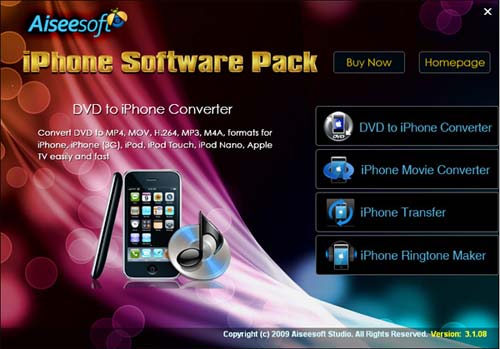
Select DVD to iPhone Converter to load it.
Step 1: Click  and the program will let you browse your DVD disc inserted in your DVD drive, you can just select the DVD drive and click OK. And then you can select the titles or chapters you want to convert.
Step 2: Choose the output video format in the Profile box.

Step 3: Choose the proper path to save the output file in your computer from the Destination box.

Step 4: Click  button and start to encode your added DVD file to the targeted format. It will take a few seconds to finish the conversion work.
Close DVD to iPhone Converter, then select iPhone Ringtone Maker.
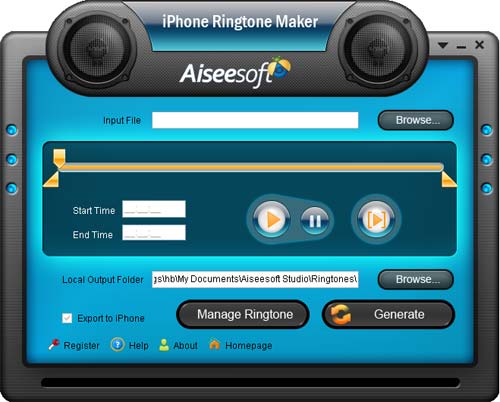
Step 1: Click Browse button on the right side of Input File to import converted videos from DVD.
Step 2: Listen to the music to specify the segment that you want to use as ringtone. Then type the start & end time in the corresponding text box directly to get the exact segment.
Step 3: Click Browse on the right side of Local Output Folder to set the output target.
Step 4: Click  to begin ripping DVD to your own iPhone ringtone.
Tip: Check  and connect your iPhone to PC to auto-load the converted ringtone to iPhone after conversion without iTunes.