iPhone to Mac Transfer - backup iphone to mac, mac to iPhone
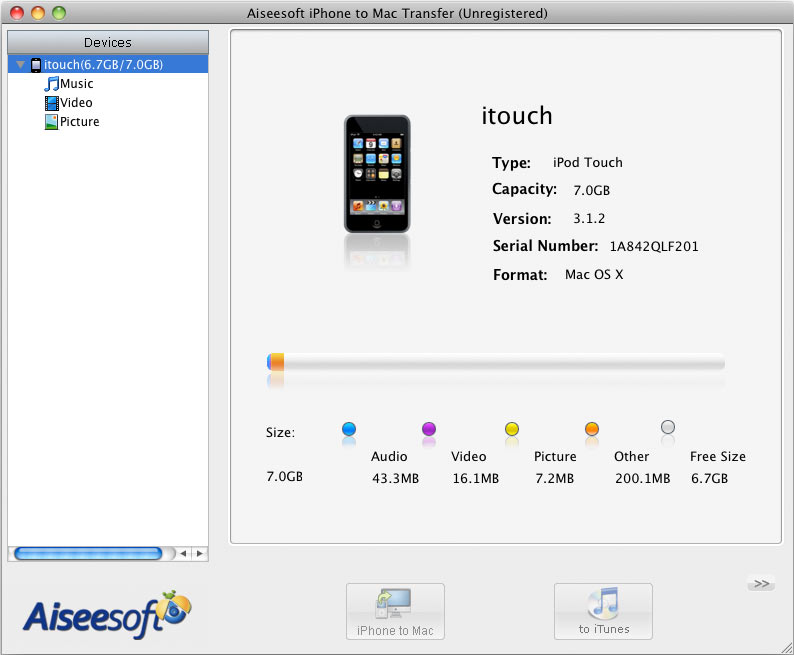 Be afraid of losing iPhone videos, photos or music? And wish to just add the videos, photos and music you want to iPhone without original iPhone files being overwritten? Then you definitely should try Aiseesoft iPhone to Mac transfer software.
iPhone to Mac Transfer is a smart iPhone backup software to transfer music, photos, videos and folders from iPhone to computer easily and smoothly. Meanwhile, it's also a Mac to iPhone transfer tool which can transfer iPhone music, photos and video files from your Mac to iPhone. Moreover, this transfer allows you to backup your iPhone files to iTunes. This iPhone to Mac Transfer changed the situation that iTunes is unable to backup iPhone files to Mac, which greatly inspired iPhone fans. With this Mac iPhone backup software, you can transfer music, photos, ringtones, videos and folders from iPhone to Mac and Mac to iPhone in a wink.
Just download a free trial version of iPhone to Mac Transfer and try by yourself.
Key functions of iPhone to Mac Transfer
iPhone series fully supported
The iPhone to Mac Transfer software can manage any iPhone now, including iPhone, iPhone 3G, iPhone OS 3.0/3.1.
Backup music, photos, ringtones and videos from iPhone to Mac
This Mac iPhone Backup software can do what iTunes cannot do, i.e. copy iPhone music, movies, ringtones and photos to your Mac for sharing and backing up.
Copy files from Mac to iPhone
File transfer from Mac to iPhone with this iPhone copy software for Mac is easier than iTunes. Just add what you want, no need to overwrite the original iPhone files.
Backup iPhone/iPod files to iTunes
This iPhone to Mac transfer enables you to copy iPhone/iPod files to iTunes for backup.
Manage iPhone/iPod playlist
With the help of this transfer, you are able to add or delete your iPhone/iPod playlist and its content directly.
Easy-to-use for both beginners and experts
iPhone to Mac Transfer is very easy to operate. Connecting iPhone to Mac and a few clicks are all your need to finish the task.
Quickly find your file
Quick Search functions can help you find the video, music or photo file you want promptly
Show the number of your files automatically.
Click video, audio and photo folder, the number of the files will be shown in the bottom of the screenshot.
Super fast transfer speed
iPhone to Mac Transfer will finish the transfer work in a few seconds. The result of the transfer will be shown in the bottom of the screen(succeeded or failed).
System Requirements:
Processor: PowerPC ® G4/G5 or Intel ® processor
OS Supported: Mac OS X v10.4 - 10.5
Hardware Requirements: 512MB RAM, Super VGA (800×600) resolution, 16-bit graphics card or higher