How to Transfer Music to iPhone
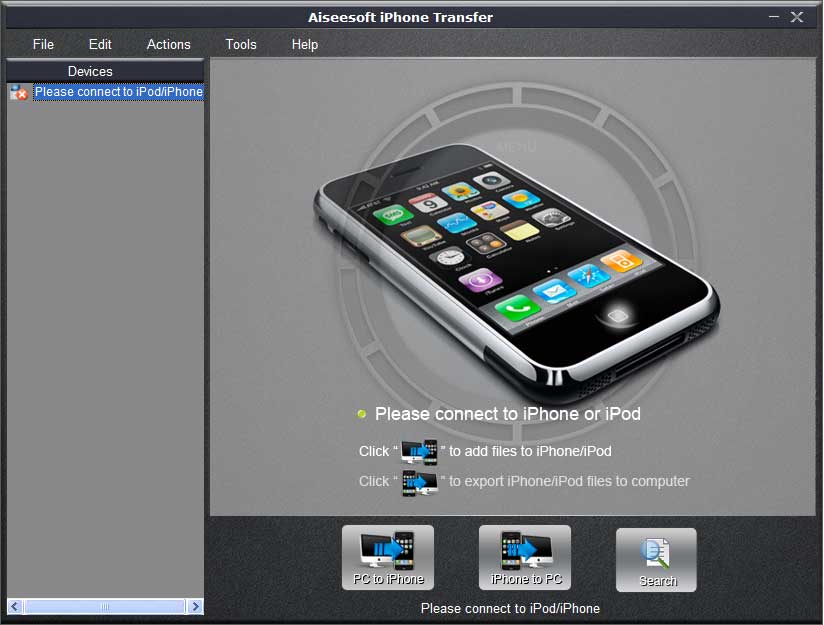 * Transfer iPhone files to computer
* Import PC file or folder to iPhone
* Transfer files between two iPhones
* Applicable to iPod as well
Once with this iPhone Transfer, iPhone management becomes much easier than ever before. All the steps can be finished without any help of the iTunes.
Note: iPod and iPhone have the same function in the field of multimedia, this iPhone Transfer is also applied to iPod.
 Notice: The trail version just permits you to experience some of the powerful functions. Only up to 10 seconds of each file can be converted and clip function is unavaiable. If you want to enjoy 100% features of this intelligent iPhone Transfer software, just $25.00, you can get a full one!
How to Transfer Music to iPhone:
In this guide, you will be shown how to import PC file or folder to iPhone and how to transfer files between two iPhones.
Import PC file or folder to iPhone
Step 1: Download this iPhone Transfer free trial version, then install it.
Step 2: Connect iPhone to your computer via USB cable.
Step 3: Click  to seek the files or folders that you want to import to iPhone and click OK. The process of importing will be finished instantly.
Transfer files between two iPhones
Step One: Run the software, and connect two iPhones to your computer via USB cable.
Step Two: Open the play list that you want to export files. Pick the files you need to transfer.
Step Three: Click  you will be shown the folder of another iPhone that you want to transfer to. Click OK. The transfer can be finished automatically.
As you see above, all the tasks will be finished in only a few clicks. Why not to try this Music to iPhone Transfer immediately.
 Aiseesoft iPhone Transfer is 100% clean, no worry to install or uninstall to on your.